Alerts in, transactions out
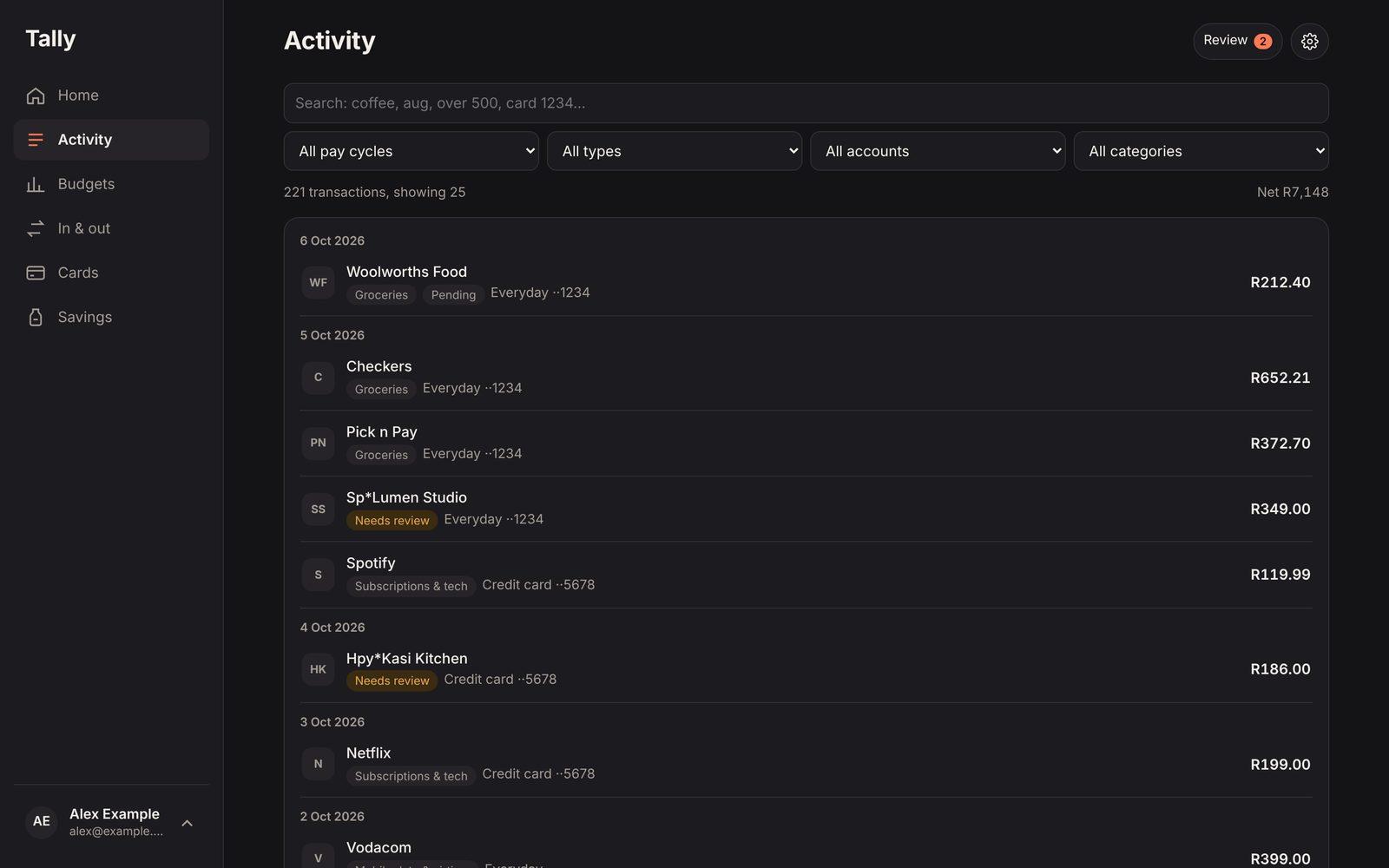
Sign in with Google, pick the sender your bank's alerts come from, and Tally imports months of history in one go — amount, merchant, card, account and available balance from each alert.
Finance · Web app
Know exactly where your money goes. Tally reads the transaction alerts your bank already emails you and turns them into a live picture — what came in, what went out, where it went, and how much is safe to spend today. No bank login, no spreadsheets, no typing.
The brief
Banks in South Africa email an alert for almost every transaction — a card purchase, a debit order, money in. Budgeting apps want your banking password or a screen-scraping integration; the alternative is a spreadsheet you stop updating by the second week.
The goal was a money picture that keeps itself up to date from data people already have, built around how they actually get paid: payday to payday, not the 1st to the 31st. It had to answer the one question people open a money app for — can I afford this?
What we built
Sign in with Google, pick the sender your bank's alerts come from, and Tally imports months of history in one go — amount, merchant, card, account and available balance from each alert.
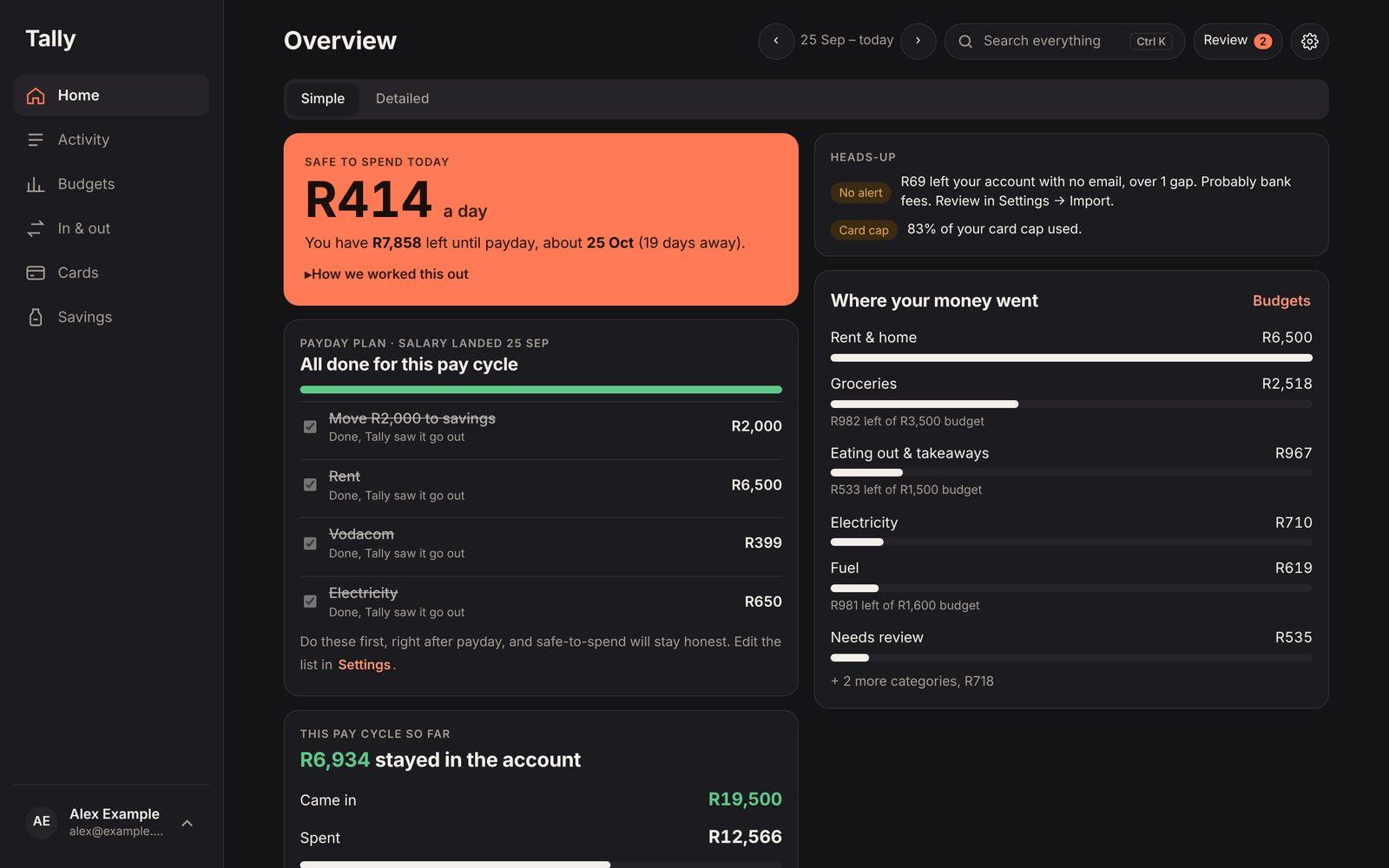
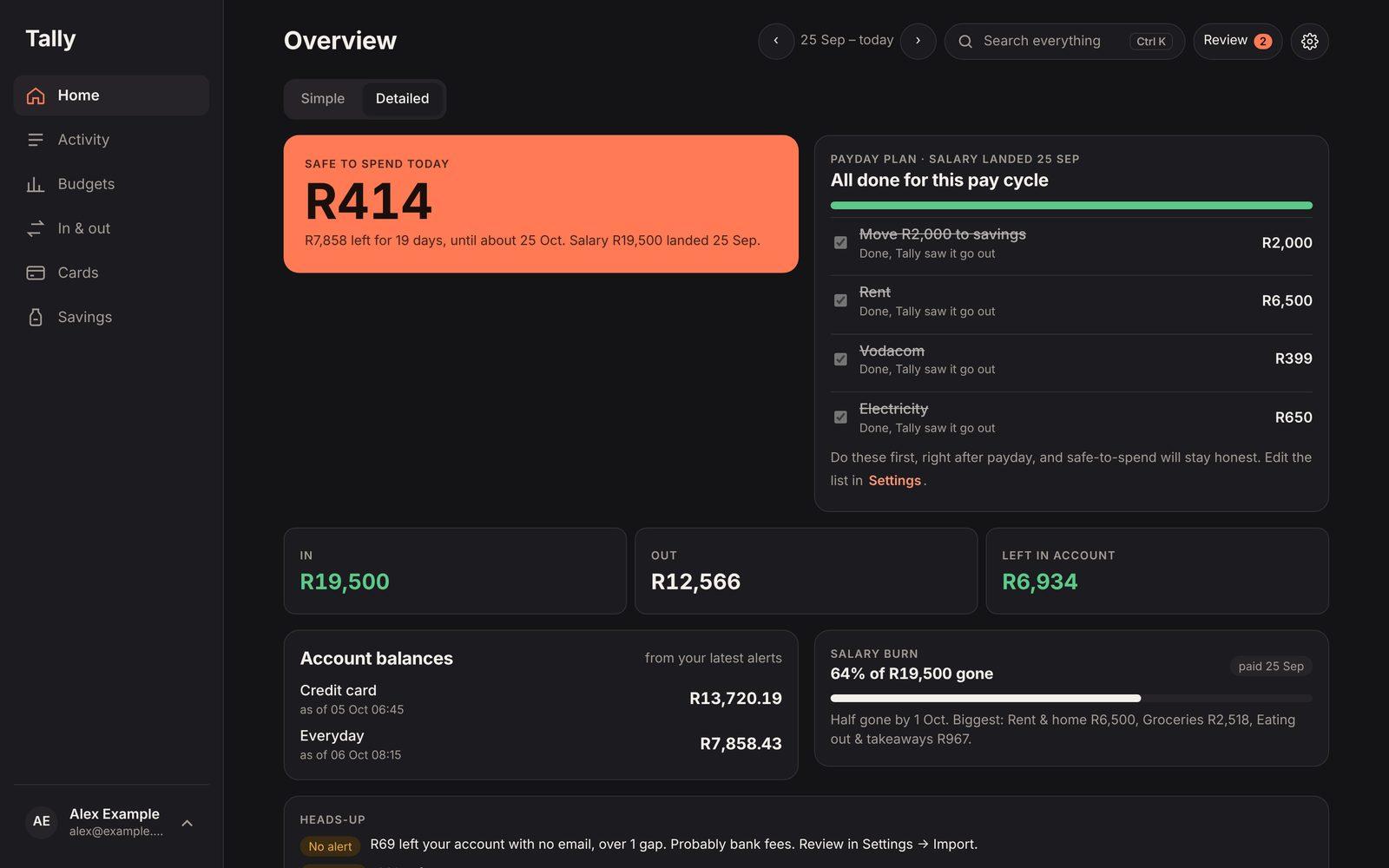
One number: the real balance from your latest alert, minus fixed payments and savings still to come this pay cycle, divided by the days to payday — with every line of the sum shown.
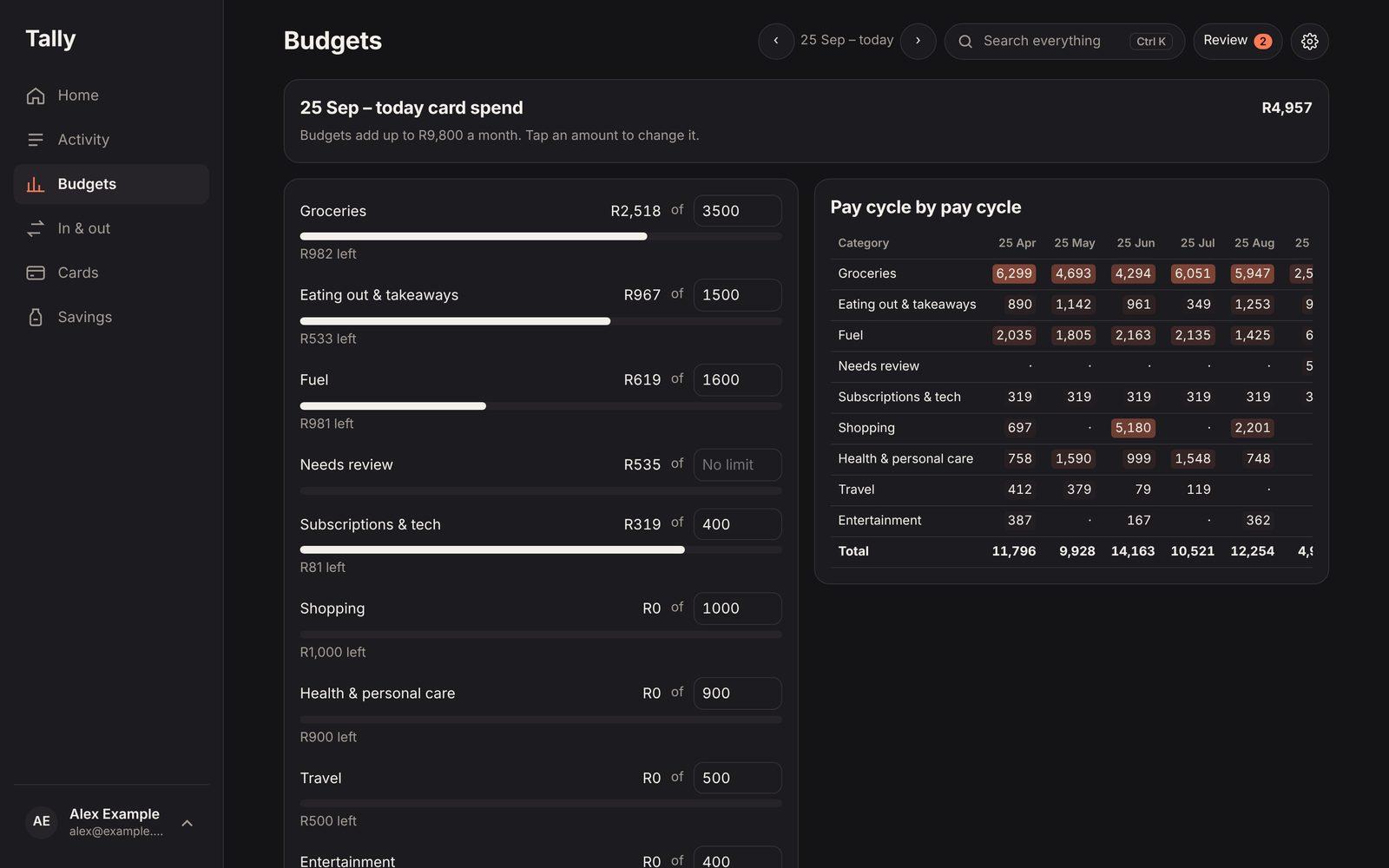
Tally finds your salary and counts payday to payday everywhere — totals, charts, budgets and history — with a payday plan that ticks itself off as fixed payments go out.
Teach it a merchant once and every past and future transaction follows, with a review queue for anything new and savings or pass-through money that doesn't count as spending.
Every alert carries a balance, so Tally reconciles consecutive balances and surfaces what moved with no email: bank fees, debit orders, or transfers between your own accounts.
Optional server-side import every 15 minutes, a Sunday-evening summary and a heads-up on large payments — plus offline mode, undo on every bulk change and Excel export.
Design decision
Bank-feed APIs mean handing over a banking login or paying an aggregator. Bank alert emails are already complete, timestamped and carry the available balance — so Tally reads those, with the narrowest Gmail access available, filtered to one sender, and stores only the extracted fields, never the email itself.
Screens
Screens use sample data.
Architecture
tally ▸ stack
   Static web app        tally.godjitech.com · no build step
    ├── index.html        UI, pay-cycle engine, reconciliation, search
    ├── parser.js         alert parser, shared with the server, unit-tested
    ├── Gmail API         read-only, queried by the one sender the user picks
    └── sw.js             offline shell + cached data, installable PWA

   Supabase              Postgres · auth · row-level security on every table
    └── gmail_tokens      refresh tokens, no client policies at all

   Edge Functions        scheduled by pg_cron, key held in Vault
    ├── import-alerts     every 15 min, for every connected user
└── weekly-summary Sunday email + large-payment alertsThe harder parts
Adding up transactions drifts — a missed alert, a pending hold, a transfer to savings. So when an alert carries a balance, Tally starts from the bank's own number and only adjusts for what has happened since, and shows its working.
The first version compared each alert only with the one before and flagged hundreds of false gaps. The rewrite walks each account in time order and accounts for transfers, reversals and duplicates — so what's left is real.
Money sent to savings, held for someone else or used to pay off your own card leaves the account but isn't spending. Tally keeps those apart, so the charts agree with the totals.
Alerts arrive when the app is closed. A Postgres cron job calls edge functions with a key held in Vault, and refresh tokens live where only the server can read them. If a user revokes access, the next run notices and switches the feature off.
Stack
Services
If you need something similar, this is the work it falls under.